How to post a status and how long it stays
In short
Open the Status tab and tap My status. Choose a photo, a video, or text on a coloured background.
Before it goes out you see a preview: tap Edit to change it, or post it.
Choose how long it stays up: 24 hours, 48 hours, 3 days, 5 days or 7 days. You can change the duration of a live status or delete it at any time. When its time runs out, it is removed and deleted from our servers.
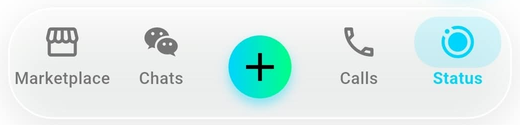
Status lets you share a photo, a video or a coloured text update with your contacts for a time you choose. Open it from the Status tab at the bottom of the app.
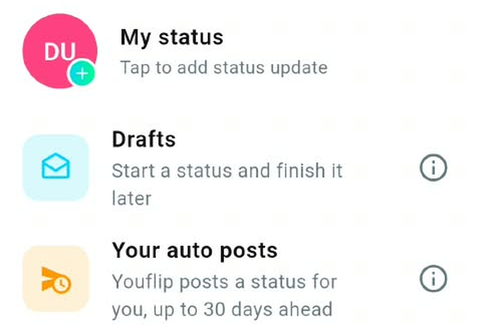
At the top of the Status screen you find My status (tap to add a status), Drafts (the blue envelope) and Your auto posts (the orange clock). Tap the ⓘ beside Drafts or Your auto posts for a short explanation in the app.
What you can post
Photo: take one with the camera or choose from your photos.
Video: up to 30 seconds.
Text: your words on a coloured background.
Before anything goes out, you see a preview showing how it will look. Tap Edit to change it, or post it.
How long a status stays up
| You choose | Status stays visible for |
|---|---|
| 24 hours (the default) | 1 day |
| 48 hours | 2 days |
| 3 days | 3 days |
| 5 days | 5 days |
| 7 days (the longest) | 7 days |
You can change the duration of a live status, or delete it at any time. When its time runs out, the status is removed from Status and deleted from our servers.
Who sees your status
| Choice | Who sees it |
|---|---|
| My contacts | Your contacts on Youflip |
| My contacts except… | Your contacts, except people you pick |
| Only share with… | Only the people you pick |
People who see your status can reply to it; a reply arrives as a private message in your chat with them.
You can see who has viewed your status.
Anyone who can see your status can take a screenshot of it, so only post what you are happy for them to keep.
Conditions
Statuses follow the community rules (Youflip’s community rules). Do not post anything illegal, harmful, misleading, or that you do not have the right to share.
Do not post other people's private information or images without their permission (How to send voice messages, photos, documents and more).
Using Status to sell? The Marketplace rules apply (How to sell an item on the Marketplace).
We may remove a status that breaks these terms, and limit Status for accounts that keep breaking them.